
Web explorer#
The web service bundles a CesiumJS globe, a transmitter and simulation panel, a batch generation page, and the HTTP API behind one local process.
Start the service#
conda activate owrt
./scripts/run.sh
The service binds only to loopback by default. Open http://127.0.0.1:8765 for the explorer, http://127.0.0.1:8765/batch for batch generation, and http://127.0.0.1:8765/api/docs for the interactive OpenAPI documentation.
The run script refuses to start when the port is held by an outdated OWRT backend and
reports how to inspect it. Set OWRT_RELOAD=1 for auto-reload during development, or start
the server directly with owrt serve --host 127.0.0.1 --port 8765.
Remote machines#
Keep the loopback-only binding and forward the port through SSH or your IDE:
ssh -N -L 8765:127.0.0.1:8765 user@remote-host
No public listener or hosted deployment is part of the current release.
A first simulation#
Define the scene: click Draw area and drag a diagonal on the globe, pick a search result, or load an example. Choose the building source, terrain and material profile in the Scene section, then Compile scene. The compiled square appears as an inset of the globe with its own terrain, surface classes and buildings.
Click Place on map and click inside the dashed boundary. Adjust height, frequency, power, antenna pattern, azimuth and downtilt in the transmitter panel; add more transmitters for multi-cell scenarios.
Choose CPU preview (works without a GPU) or Sionna RT (appears when the runtime is installed), and the resolution.
Click Run simulation. The coverage layer follows the scene terrain at the receiver height; switch between path gain, RSS, SINR and transmitter association with the metric buttons.
Download the artifact bundle to obtain the raw arrays, PNGs, meshes and metadata described in Exports.
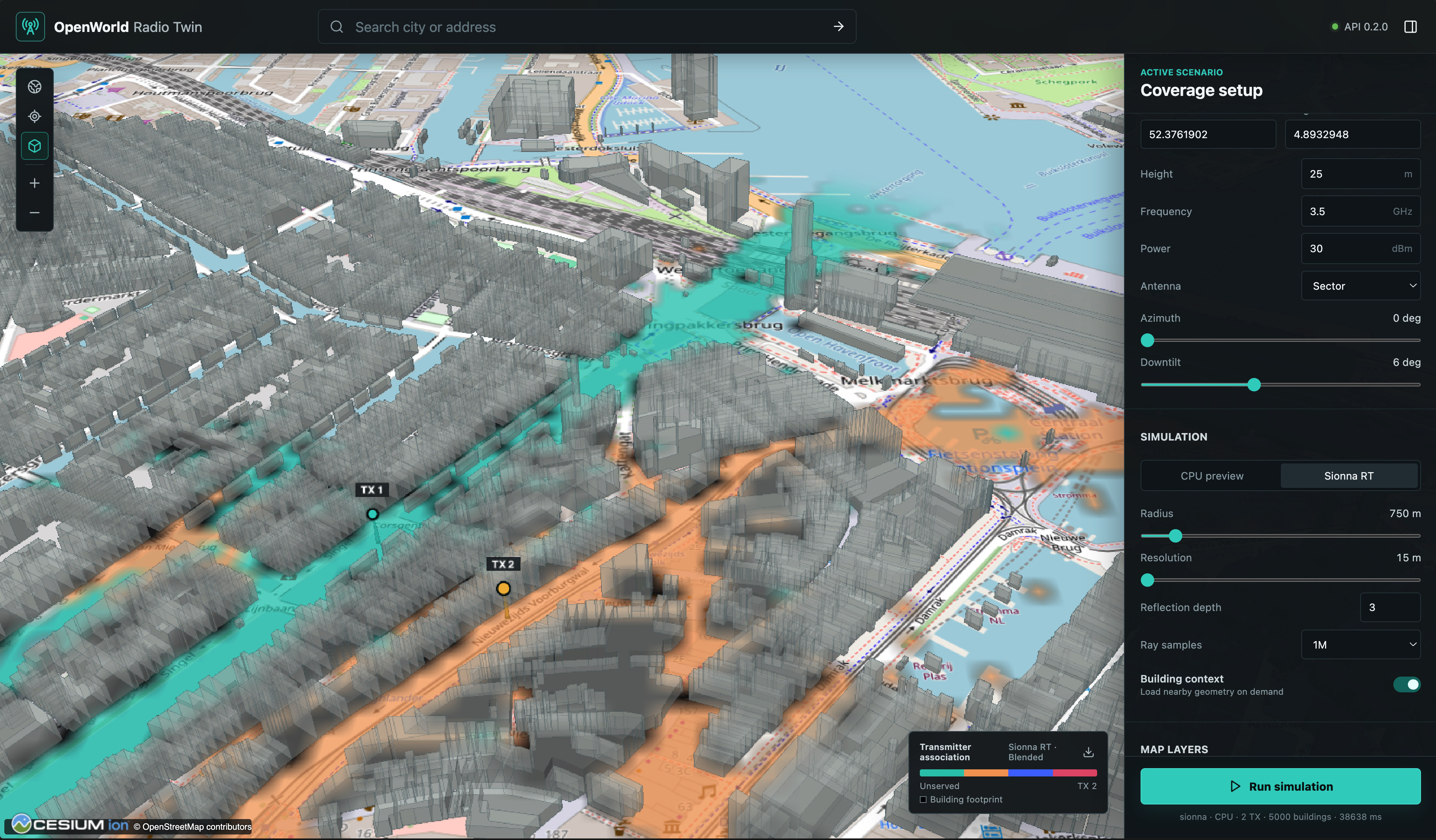
Smooth coverage is a display-only filter with a boundary fade. Turning it off shows the exact solver cells with nearest-neighbour filtering. Neither mode changes the exported arrays. The panels and controls are described in detail in Explorer.